> For the complete documentation index, see [llms.txt](https://docs.votemanager.xyz/llms.txt). Markdown versions of documentation pages are available by appending `.md` to page URLs; this page is available as [Markdown](https://docs.votemanager.xyz/bots/create/discord-place.md).
# Discord Place
Find a more detailed description about setting up a bot on Void Bots with Vote Manager
{% hint style="info" %}
This continues from the tutorial on the previous page ([here](/bots/create.md))
{% endhint %}
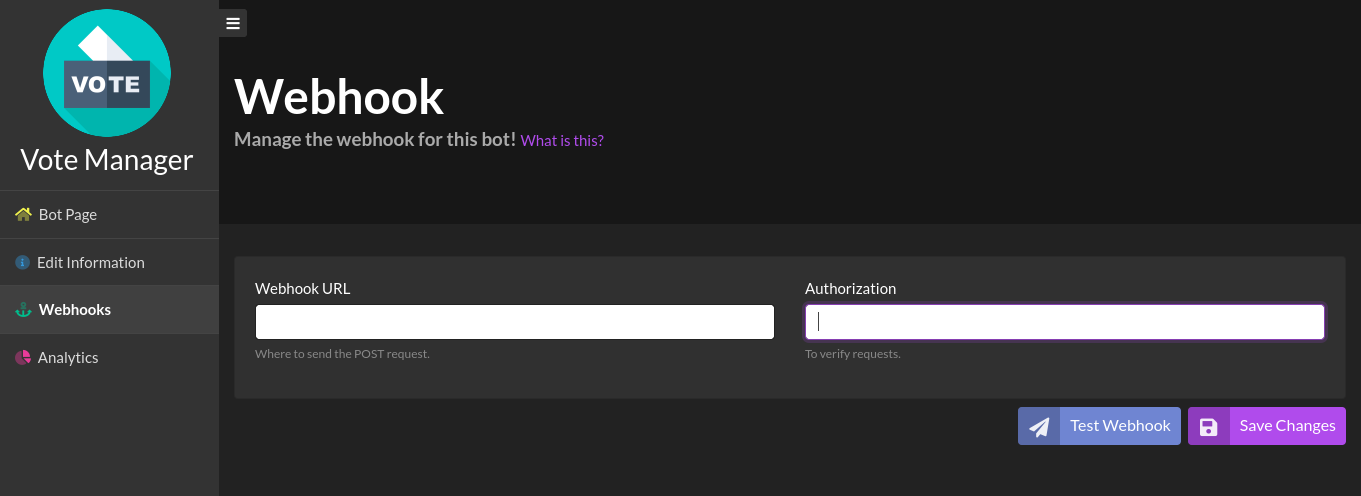
To continue your setup, please go to the link shown as step one. It should look like this: `https://voidbots.net/bot/[your-bots-id]/webhooks`
**E.G.** `https://voidbots.net/bot/959699003010871307/webhooks`
Your bots Void Bots webhook settings page
Please paste the URL provided in step two into the **Webhook URL** box. The URL should follow the format `https://webhooks.votemanager.xyz/request/voidbots/[your-bots-id]/`
**E.G.** `https://webhooks.votemanager.xyz/request/voidbots/959699003010871307/`
Next, enter the provided passphrase into the **Authorization** field
Once you have filled out the required fields, click the **Edit** button to save your changes
Webhook URL & Authorization have been filled out
If you forget or lose your passphrase you can run the `/trackers passphrase` command. Select **Bot** for the type then choose the tracker from the options and run the command
Trackers Passphrase Command
Your vote tracker is now fully setup! A message will be sent with your configured embed to the channel you configured whenever a user upvotes your bot